Iterating a Function in Desmos
Iterating a Function in Desmos
Desmos won’t let you type a = f(a) and have it update itself — that’s an equation to solve, not a repeatable step. Instead, define the sequence as a function of the step number, the same way you’d write it in code.
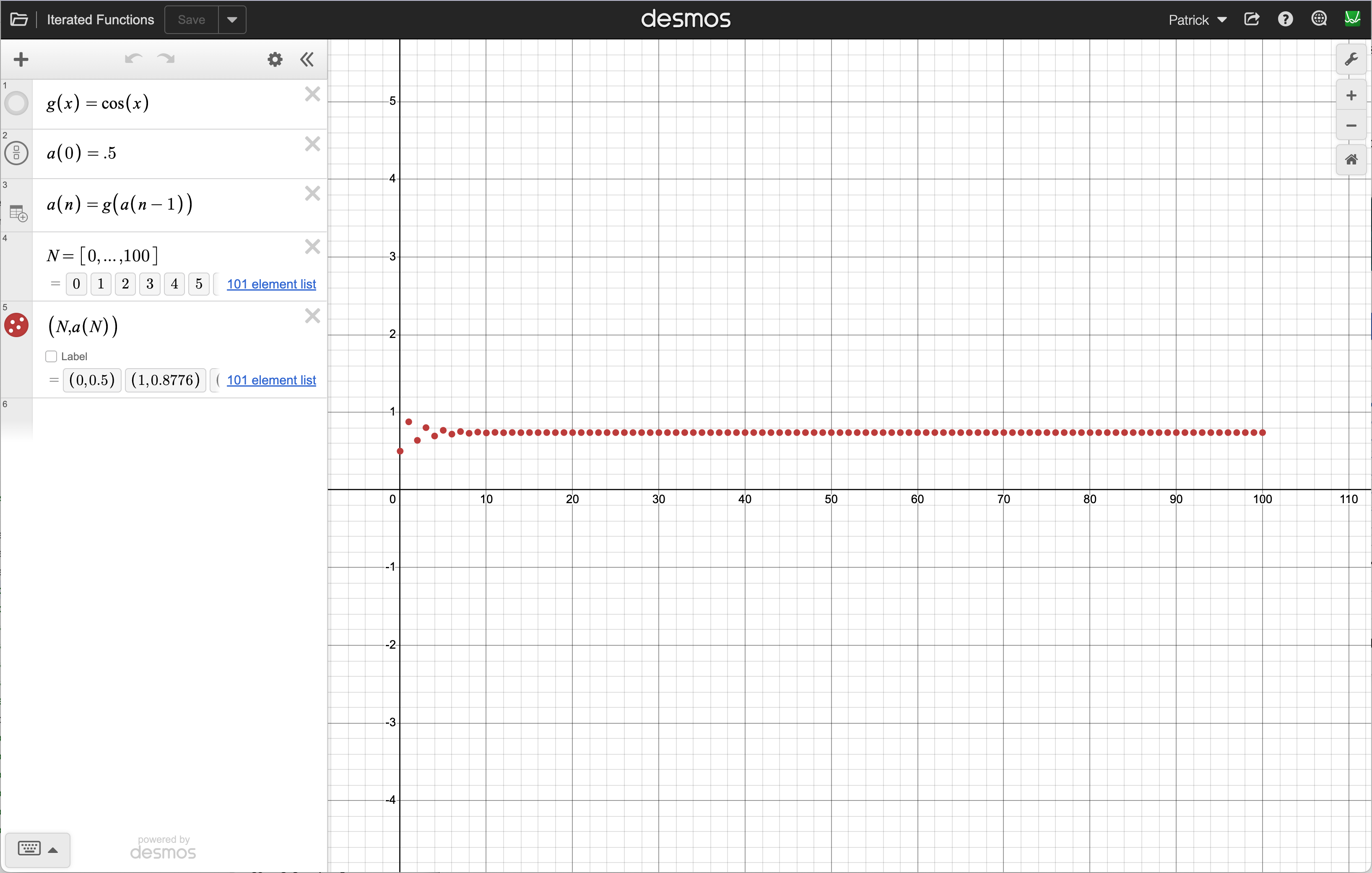
Steps
-
Define the function you want to iterate:
g(x) = cos(x) -
Define the starting value as step
0:a(0) = .5 -
Define each step in terms of the one before it:
a(n) = g(a(n-1)) -
Make a list of step numbers:
N = [0, ..., 100] -
Plot the points:
(N, a(N)) -
Click on the wrench and set the scale (approximately these values):
0 <= x <= 100-5 <= y <= 5
Desmos fills in the whole sequence automatically — no clicking, no typing it out by hand. If the points settle onto a flat line as N grows, that height is the fixed point; if they fly off the screen, it’s repelling.
Swap in a different g(x) or a different starting value in a(0) to try any of the functions from the Fixed Points handout.